
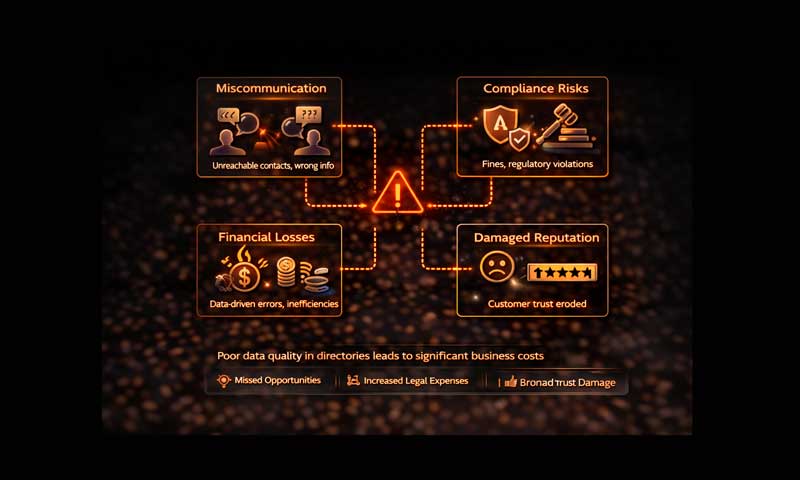
The Price of “Dirty” Data: Why Poor Information Quality Costs Businesses Millions
According to Gartner, organizations lose an average of $12.9 million per year due to poor data quality. This isn’t just a technical glitch for the IT department—it is a direct threat to profitability. The principle is universal: “dirty” data equals direct financial losses.
What Exactly Is “Dirty” Data?
Data is considered “dirty” when it becomes an obstacle to effective decision-making. It usually manifests in the following ways:
- Duplicates: A single client is recorded five times under different name variations (e.g., “John Doe” vs. “J. Doe”).
- Incompleteness: 40% of records lack critical contact information, such as email addresses or phone numbers.
- Staleness: A company changed its name or legal address two years ago, but the system still displays the outdated information.
- Inconsistency: A client is marked as “Active” in the CRM but appears as “Blocked” in the accounting software.
The Real Price of Errors
The consequences of poor-quality information are felt across every level of business operations:
| Scenario | Business Impact |
|---|---|
| Invoice sent to a non-existent address | Lost payment, cash flow gaps, and wasted administrative time. |
| Marketing campaigns sent to duplicates | Double the costs for mailing services and increased customer irritation. |
| Faulty management reports | Reporting 1,000 active clients when there are actually 600 leads to poor strategic investments. |
| System migration | The project takes 6 months instead of 2 because the data must be “cleaned” manually. |
The 1-10-100 Rule
In data management, there is a classic concept that explains the economics of quality:
- 1 Unit of Cost — Prevention: Validating data at the point of entry.
- 10 Units of Cost — Correction: Detecting and fixing an error already in the system.
- 100 Units of Cost — Failure: Living with the error and dealing with its real-world consequences.
Bottom Line: Investing in data quality—through automation, validation, and regular audits—is always cheaper than paying for the fallout of “dirty” data.
How to Start Cleaning Your Data
- Implement Entry Standards: Use mandatory fields and dropdown menus instead of free-text fields to reduce human error.
- Automate Validation: Use integrated services to verify addresses, phone numbers, and tax IDs in real-time.
- Assign Data Stewardship: Data quality should be a KPI for specific departments rather than an abstract IT responsibility.