
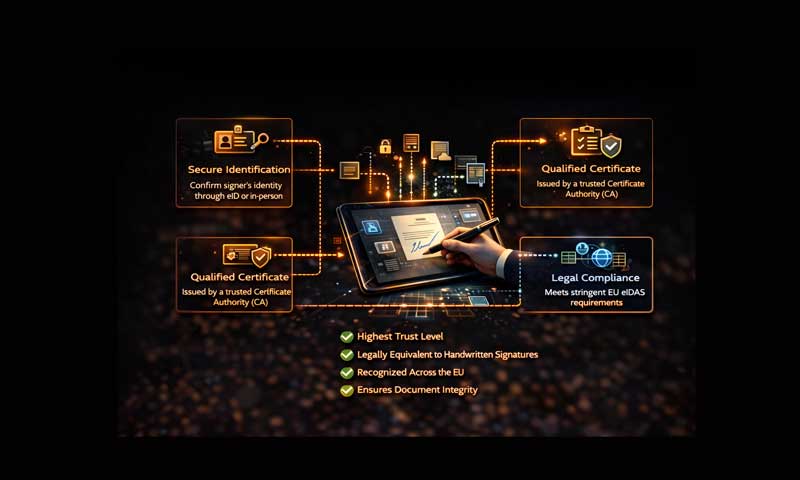
Qualified Electronic Signatures (QES) have evolved from an exotic technical requirement to a foundational tool for government interactions and B2B operations. However, implementing QES is more than just "buying a token." It requires a strategic shift in internal processes, deep system integration, and comprehensive staff training.
The Hierarchy of Electronic Signatures
Choosing the right tool depends on the legal risks and the nature of the document. Below is a comparison of the three primary types:
| Signature Type | Description & Security Level | Primary Use Cases |
|---|---|---|
| Simple (SES) | Low security. Examples include scanned signatures or SMS codes. | Internal approvals with no financial or legal risks. |
| Advanced (AES) | Confirms authorship and integrity through unique encryption linked to the signer. | Internal document flow and B2B correspondence (where contractually agreed). |
| Qualified (QES) | Highest security level. Equivalent to a handwritten signature by law. Issued by certified authorities. | Tax reporting, government procurement, notarial actions, and high-value contracts. |
Seamless Integration with EDMS
To maximize efficiency, QES must be natively integrated into your Electronic Document Management System (EDMS). A professional implementation ensures:
- Direct Signing: Users sign documents within the EDMS interface without downloading or uploading files.
- Automatic Verification: The system automatically checks the certificate status (revocation lists) in real-time.
- Long-Term Validation (LTV): Documents are stored with timestamps and validation data to ensure they remain legally binding for years, even after a certificate expires.
- Bulk Operations: The ability to sign hundreds of invoices or acts with a single authorization.
The Shift to Cloud QES
The modern alternative to physical USB tokens is Cloud-based QES. In this model, the private key is stored in a secure hardware security module (HSM) managed by a certification authority.
Key Advantages:
- Mobility: Sign documents from any device using a mobile app, FaceID, or TouchID.
- Security: Eliminates the risk of physical loss or theft of a USB drive.
- Accessibility: No need for specific drivers or hardware ports on the user's computer.
Note: While Cloud QES offers superior convenience, it requires a stable internet connection and a high level of trust in the infrastructure provider.
Strategic Implementation Roadmap
- Process Audit: Map your document types to determine where QES is mandatory versus where AES is sufficient.
- Legal Foundation: Update internal regulations and include clauses in partner contracts to recognize the validity of electronic signatures.
- User Adoption: Focus on training employees. Digital resistance is often caused by a lack of understanding rather than technical flaws.

Author